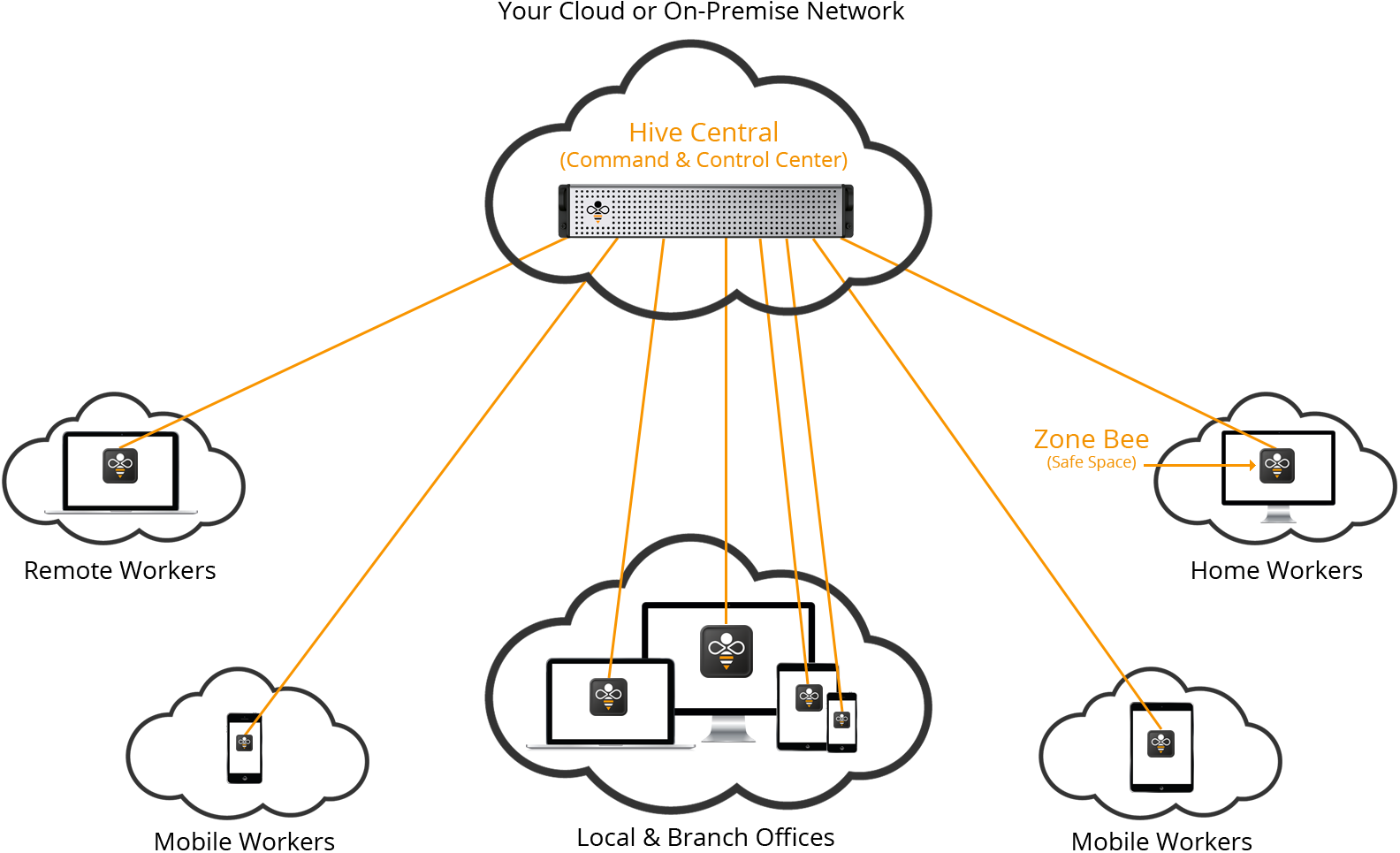
The Hive Platform enables you to deploy a really powerful and uniquely combined Application & Device Management (ADM) system from the network of your choice.
There are many mobile device management (MDM) products in the market, but none provide the application delivery features found in the Hive Platform. Ideal for BYOD initiatives and significantly improving network and application security, you can now manage many different desktop, laptop, tablet and smartphone devices . . . including their secure apps . . . from one convenient location.

How It Works
Available in a ready-to-go server or software, Hive Central is installed in a cloud or on-premise network of your choice. Once installed, Hive Central (your Command & Control Center) interacts with a wide range of smartphone, tablet, laptop and desktop computers - regardless of their location - via Zone Bee apps.
Zone Bee ensures business-class applications and their data are protected (e.g. encryption at rest) and connect with networks using best-practice secure architecture.

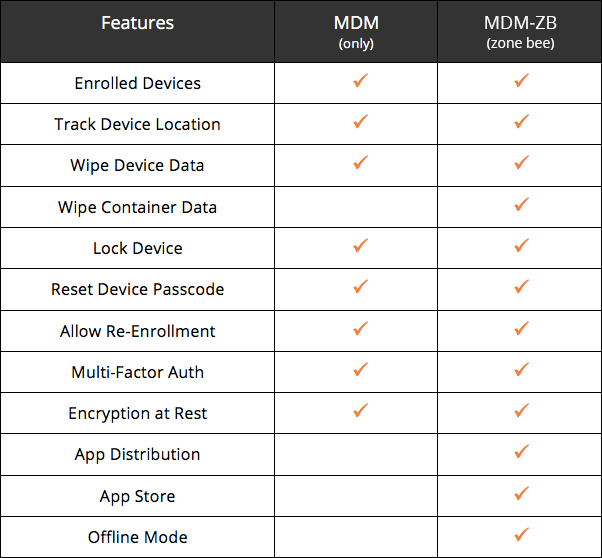
Versions Available
Screen Shots
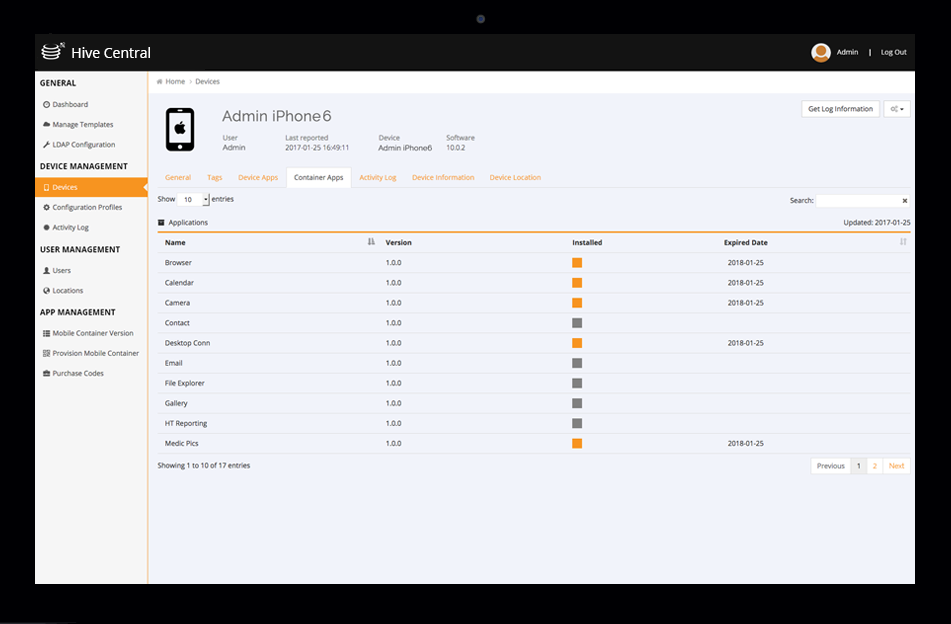
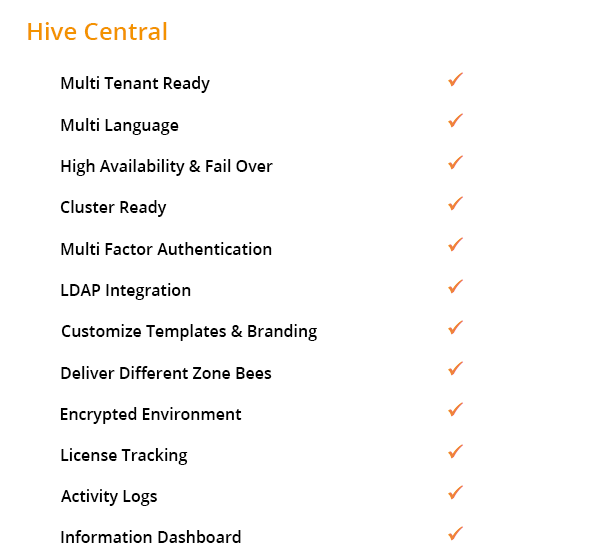
Hive Central
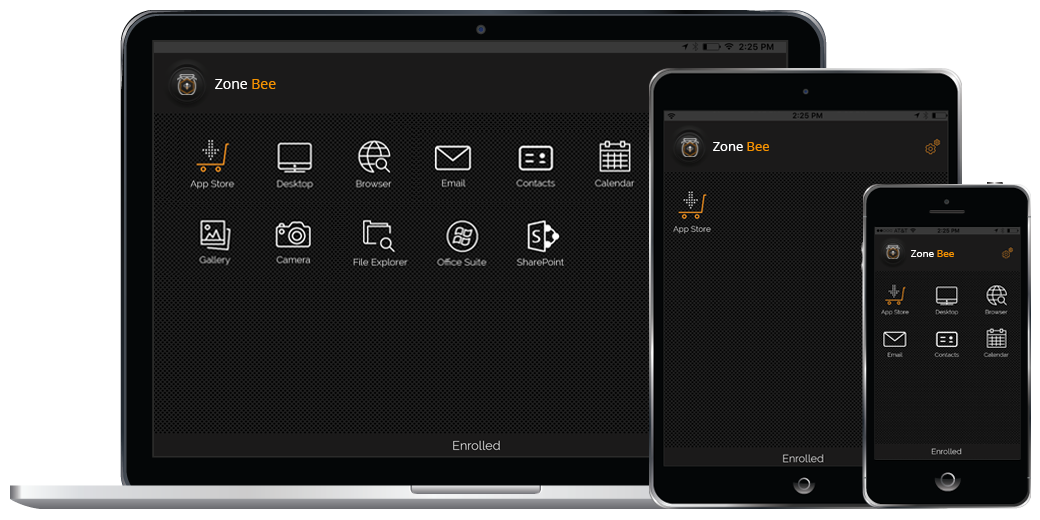
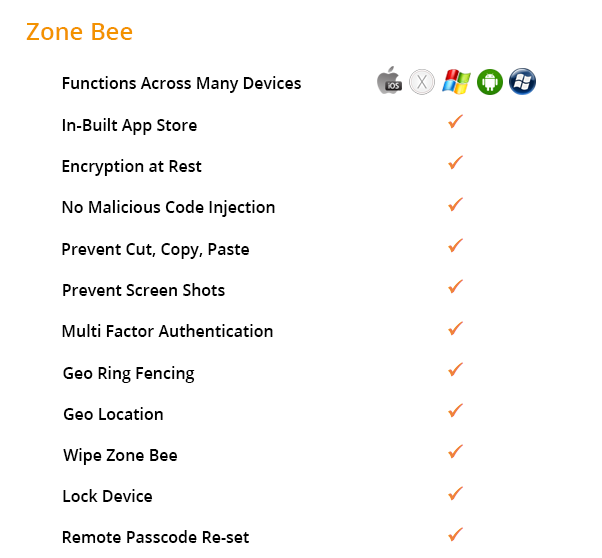
Zone Bee
Integrate Your Apps
Requirements to integrate your app into Zone Bee include:
Build app as embedded framework.
App has to be native code (Objective-C or Swift) in order to apply our crypto libraries.
Do not use cross-platform or hybrid frameworks such as Xamarin, Cordova, PhoneGap, Sencha etc.
Provide public API to launch and close app from main (entry) screen.
Provide app icon.
Built app as Android Archived (AAR), including Resources, Java, C/C++ etc.
App has to be native code (Java) in order to apply our crypto libraries.
No cross-platform or hybrid framework such as Xamarin, Cordova, PhoneGap, Sencha etc.
Provide public API to launch and close app from main (entry) screen.
Provide app icon.
Features